Convert English text to Morse code and decode Morse back to text, instantly. Free, no signup, runs in your browser.
Morse code
Characters
0
Signals
0
At 15 wpm
0.0s
Letters are separated by a single space and words by a slash ( / ). Characters with no Morse equivalent, such as accented letters, are left out of the result.
Most people arrive with a string of dots and dashes and no idea which way round it goes. The translator above runs both directions and switches automatically when it can tell what you pasted.
Below it are the rules for reading a result, the difference between a decoder and a generator, and the timing that turns written code into something you can actually send.
If your Morse is not something you can type, it needs a different tool. A recording goes to the audio translator, a photo or a blinking light to the image translator, and a single character to the alphabet chart.
How to use this Morse code translator
Choose a direction. Pick Text to Morse to encode a message, or Morse to text to decode one. The translator opens on Text to Morse.
Type or paste your message. Enter your message in the top box. The conversion appears in the box underneath as you type, so there is no button to press.
Listen to it or copy it. Press Listen to hear the dots and dashes played as beeps, or Copy result to put the conversion on your clipboard.
Nothing you type is uploaded. The conversion runs in your own browser, which is why it is instant and why it keeps working if your connection drops mid-message.
If your Morse is a recording or a photo rather than something you can type, this is the wrong tool and the tools page says which one to open instead.
How to read the result
Morse code has two symbols. A dot is the short signal, written . and read aloud as dit. A dash is the long one, written - and read as dah. Every letter is a short run of them.
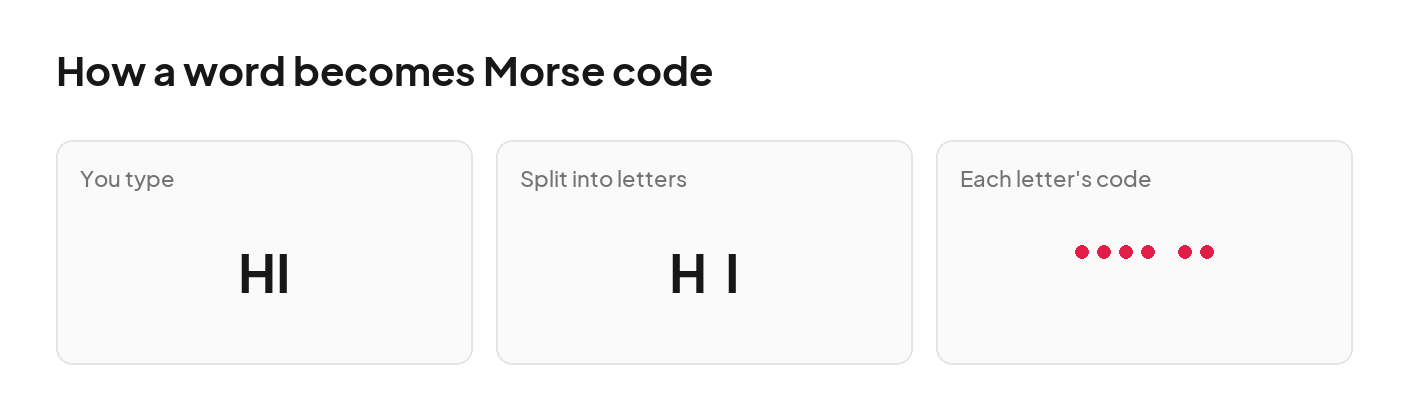
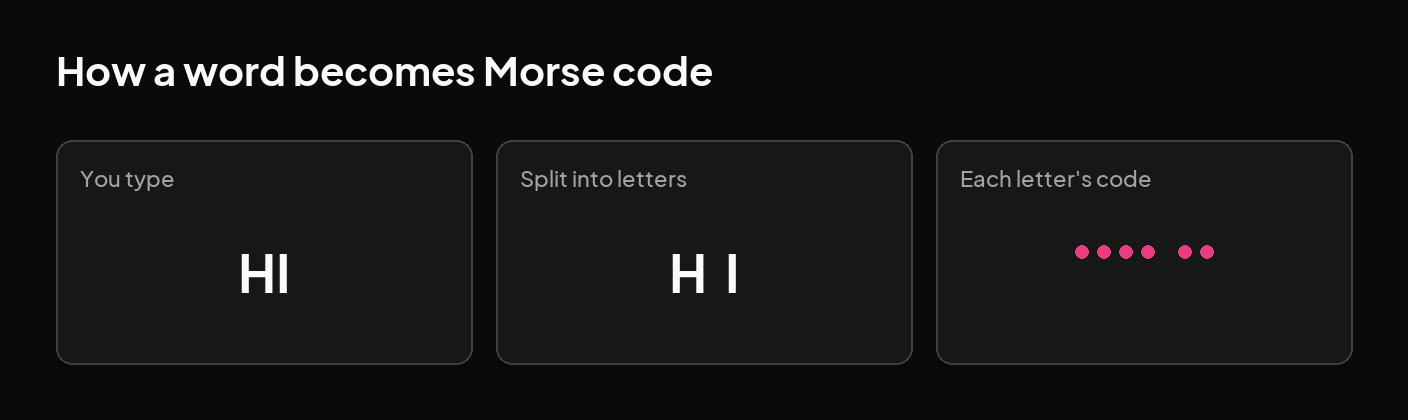
Spacing is what separates one letter from the next. In the output above, a single space ends a letter and a slash between spaces ends a word, so .... .. / - .... . .-. . reads as HI THERE.
That slash is a writing convention rather than a signal. Nobody sends a slash on the air; it stands in for a longer silence, and it is there so the words are still readable once the code is written down.
Decoding by eye is easier if you read the gaps first. Split the line at the slashes to get words, split each word at the spaces to get letters, then look each letter up in the alphabet chart.
A word is encoded one letter at a time. Nothing depends on the letters around it.
Morse decoder, generator or translator: which do you need?
These are three names for two directions, and both are on this page. A Morse code generator or encoder takes your text and produces dots and dashes. A Morse code decoder or reader takes dots and dashes and gives you the text back.
A translator is simply both at once, which is why the toggle above switches between them rather than sending you to a different tool. If you arrived looking for a Morse maker, converter or simulator, this is the same thing under another name.
The direction also decides what the Listen button plays. It always sounds out the Morse side, so it reads the output when you are encoding and your own input when you are decoding.
Length is not a limit either way. A single word, a full sentence or a long message all convert in one pass, and the result updates on every keystroke rather than waiting for you to finish.
Why decoded Morse code comes out wrong
Almost every bad decode is a spacing problem. Morse has no other way to mark where one letter ends, so ... --- ... is SOS while ...---... is a single unrecognised run and comes back empty.
The second cause is the characters themselves. Dots and dashes copied from a web page or a chat app are often typographic lookalikes, a bullet instead of a full stop or a long dash instead of the hyphen key, and those have no Morse meaning.
A partial result points at the third cause: something in the input is outside the supported set, so it was left out. The letters around it still decode normally, which is why the text comes back readable but missing a character.
Which characters this translator supports
The translator covers the 26 letters of the alphabet, the 10 digits, and 18 punctuation marks and symbols, which is the International Morse set in everyday use.
Capitals and lowercase produce the same code, because Morse has no separate case. A character outside that set is left out of the result rather than approximated, since there is no agreed code to fall back on.
Press Listen and the translator plays the dots and dashes as beeps, at a steady 15 words per minute. Hearing it is how the rhythm sticks: experienced operators recognise letters by sound, not by counting symbols.
The timing follows the standard proportions. A dash lasts three times as long as a dot, the silence inside a letter is one dot long, between letters three, and between words seven.
Playback goes one way only. It turns your Morse code into sound, and it cannot listen to a recording and turn the sound back into text. For that, use the Morse code audio translator, which decodes a file or a live recording.
Under the result you get the length of the message three ways: how many characters you typed, how many dots and dashes that came to, and how long it takes to send at 15 words per minute. The seconds figure is the real playback length, not an estimate.
To send it yourself rather than listen to it, the Morse code tapper is a key you hold: short for a dot, long for a dash, and your letters decode as you go.
Morse code is not a language. It is a way of encoding letters, numbers and punctuation you already write, so it has no vocabulary and no grammar of its own. The same dots and dashes spell English exactly as English spells it.
Q
What is SOS in Morse code?
A
SOS in Morse code is ... --- ..., three dits, three dahs, three dits. It is sent as one unbroken run with no gaps between the letters, which is why it sounds like a single signal rather than three separate ones.
Q
Can I decode a photo or an audio recording here?
A
This translator reads typed text and typed Morse code only. To decode a recording, use the Morse code audio translator. To decode a photo, a video or a blinking light, use the Morse code image translator. Both run in your browser too.
Q
Can I use Morse code in Roblox?
A
You can use Morse code in Roblox. Convert your message here, copy the result, and paste it into the chat box. Morse code is only dots, dashes and slashes, so it travels as ordinary text with nothing to install.
Q
What happens to characters Morse code cannot represent?
A
Characters Morse code cannot represent are left out of the result rather than guessed at. Accented letters, emoji and symbols outside the supported set have no agreed Morse equivalent, and inventing one would give you a wrong answer instead of an incomplete one.